Loading...
Loading...
Smart Switches
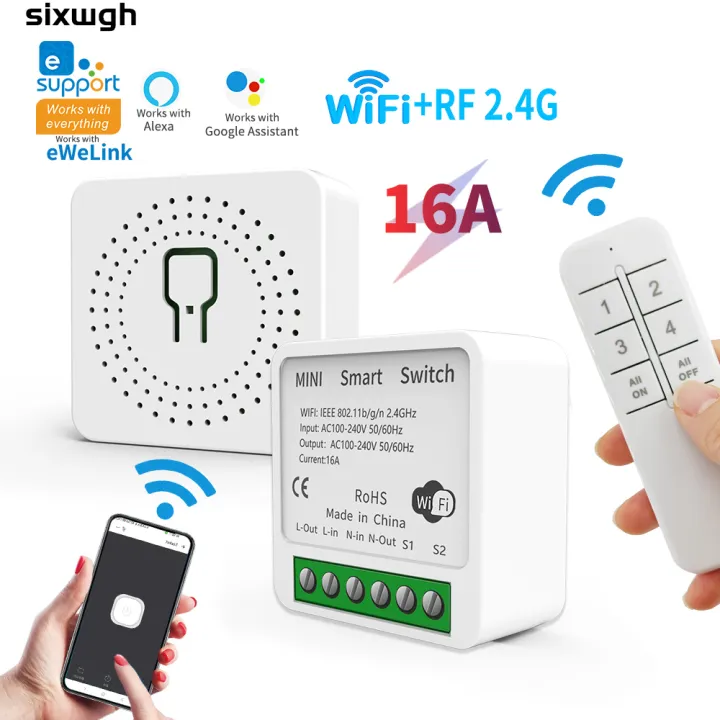
✅✅How to connect to the APP1. Turn on Bluetooth and 2.4G on your phone wifi.2. Press and hold the receiver button for more than 5 seconds, the indicator light will flash quickly twice and remain on once to enter the distribution mode.3. Open eWeLink APP, click on the “+” in the upper right corner, and the app willautomatically scan the device.4.Click the “+” on the rightside of thescanned device and wait for connection.✅✅If the indicator light flashes slowly, you need to select compatibility mode to connect to the APP。Alternatively, press and hold the socket button until the indicator light flashes twice and stops once, release it, and then connect to the app✅ ✅After receiving the receiver and connecting it to the APP, the remote control needs to be paired with the receiver as follows:✅ ✅ Attention: Before pairing the receiver with the remote control, it is necessary to first connect the socket to the APP.✅2.4G remote Off line pairing:When in non pairing mode, quickly and continuously press the button 2 times on the receiver, At this time, the indicator light flashes twice and stops once.,the receiver will enter pairing mode. At this time, press the switch remote control once, and if the receiver is controlled, pairing is successful; (If pairing is not successful, please repeat the above operation)✅Attention: If the indicator light flashes slowly or rapidly, it indicates that the pairing has entered invalid pairing mode and cannot be successfully paired. You need to clear the pairing code of the receiver and then perform the pairing operation again. (The indicator light must flash twice and stop once before pairing can be successful)✅Clear pairing:When in non pairing mode, continuously press the button on the socket 8 times (within 5 seconds) to turn off the indicator light and clear the successful pairing.✅Wifi receiver parameters1.Working voltage: AC100-240V 60HZ/50HZ,16A2.WIFI: IEEE 802.11 b/g/n 2.4Ghz3.RF Working frequency: 2.4G4. Size:40x40x20mm5.APP: Work with eWeLInk APP✅Remote control parameters:RF frequency: 2.4GHz Size: 118 x 40 x 10mmModel of battery used: 2 AAA battery (Battery included)The "All ON" button can open 4 sockets with one click, and the "All OFF" buttoncan close 4 sockets with one click✅Matching method of remote control and socket:1 remote control+1 socket1 remote control+2 sockets1 remote control+3 sockets1 remote control+4 sockets2 remote controls+1 socket3 remote controls+1 socket4 remote controls+1 socket1 socket can be paired with up to 5 numeric buttons✅ RF2.4G remote control distance: about 20-30 meters indoors (without partitions), (open distance Barrier-free) (this distance is the ideal distance for the experimental test, the actual distance will be affected by the use environment and obstacles, the more obstacles, the shorter the distance , please refer to the actual distance)✅Our advantage:✅APP control:As long as there is a network signal, it can be controlled anywhere✅Voice control:Works perfectly with Alexa,Go
Recommended
Smart Switches
In Stock