Loading...
Loading...
Printers
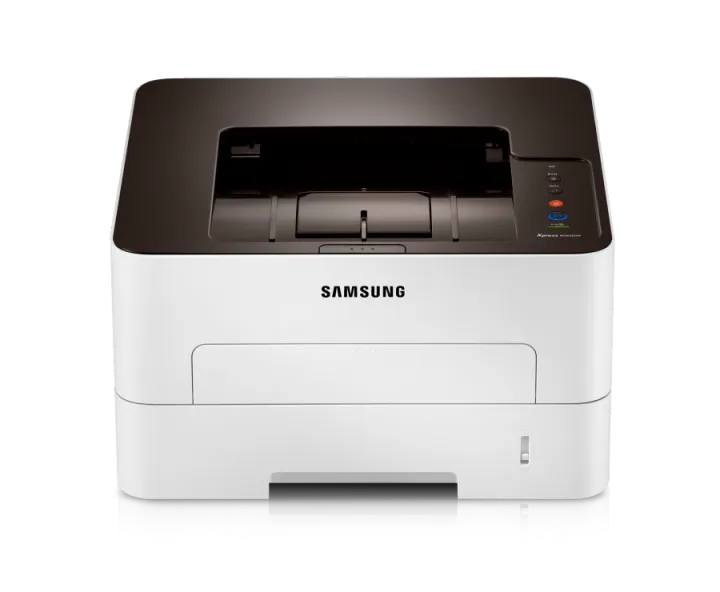
ConsumableToner:MLT-D116S (1,200 pages)MLT-D116L (3,000 pages)Drum: MLT-R116 (9,000 pages)Small-scale offices and businesses must streamline costs associated with printing without compromising productivity or quality. Samsung Xpress M2825DW provide small businesses the cost efficiency and performance they demand. With mobile printing and Easy Printer Manager software, these printers are designed for ease of use.Save time with faster print speedsXpress M2825DW help reduce wait time for busy small-business owners by providing quicker printing for various documents. Even complex documents print at up to 28 pages per minute (ppm), powered by Samsung’s advanced 600MHz CPU and 128MB of memory. The Cortex-A5 Core supports speeds up to25.6 percent higher than the previous model, yielding one of the highest speeds among comparable printers. This impressive speed can help companies increase workflow, productivity and flexibility.Present a favourable impression with high-quality printsSmall businesses with limited resources can still create a big impact with professional-quality prints. Xpress M2825DW deliver sharp, clean prints for busi-ness documents with 4800 x 600dpi effective resolution and Rendering Engine for Clean Page (ReCP) technology. These elements result in increased performance and quality in a small package. Quality-boosting features produce more detail, smoother images and clearer text.High-resolution printingWith high-resolution print quality up to 4800 x 600dpi effective, users can produce fine, detailed print output, even for small text and complex images.Edge enhancementEdge enhancement provides a delicate, polished edge for text and images, resulting in clearer text and more vivid images.Produce more types of documents with support for heavy mediaBusy small-business professionals can stay productive by using a variety of paper types with Xpress M2825DW. This small yet robust printer can handle upto 220 grams per square meter (gsm) media, which includes paper, labels, cards, envelopes and overhead projector (OHP) transparencies. This flexibility can help small businesses stay adaptable for various business needs. The paper types can be conveniently selected from the multipurpose (MP) tray.Save toner and paper costswith flexible printing optionsBusinesses can decrease toner and paper costs simply with One-Touch Eco button features that help companies limit the amount of resources needed to perform printing operations. One-Touch Eco button enables to employN-up and duplex printing to print multiple document pages on a single sheet, skipping blank pages to reduce the amount of paper used. Toner save mode also reduces supply costs by decreasing toner use.N-up printTwo or more document pages on one sheet to reduce Toner save modePrints with less toner to reduceDuplex printingPrints on both sides of paper to reduce paper use.Skipping blank pagesPrints only pages with text or images to Decrease energy usage and TCO with the Easy Eco DriverThe E
Printers
In Stock